
PHTAYA Deposit – Quick Guide To The Most Popular Methods
PHTAYA deposit helps players prepare their account balance before accessing online entertainment categories based on personal preferences. The process has clear steps, supporting payments through banks, e-wallets, and USDT. PHTAYA aims to maintain a transparent transaction process.
PHTAYA deposit and its special benefits
The PHTAYA deposit process follows clear, easy-to-understand steps, allowing players to select a suitable method based on their available payment options and personal preferences. Each method offers the following benefits:
- Extremely fast automated transaction processing, reducing unnecessary waiting time.
- Various transfer methods to accommodate different personal payment needs.
- Reduced risk of information leaks through modern security infrastructure.
- Completely free deposit procedures without additional transaction charges.
- Additional valuable bonuses credited to the account under applicable promotional terms.
- Technical support available 24/7 to assist with transaction-related issues.
- Clear transaction records that are easy to review and verify whenever necessary.
- A user-friendly interface that makes each operation simple and convenient.
- Flexible transfer limits, ranging from small amounts to larger transactions.
- Good compatibility with both computers and mobile phones for convenient access.

Deposit limits at PHTAYA
Before proceeding with PHTAYA deposit, players should check the minimum amount, maximum limit, and applicable conditions for each payment method. Transaction limits are also relatively flexible.
| Deposit method | Minimum limit (Min) | Maximum limit (Max) |
| GCashQR / GCash / GCASHPAY QR | ₱100 | ₱50,000 |
| Maya | ₱50 | ₱50,000 |
| GOTYME | ₱100 | ₱50,000 |
| GRABPAY | ₱1000 | ₱5,000 |
| USDT | ₱100 | ₱5,000 |
Detailed guide to deposit funds into a PHTAYA account
Following the standardized PHTAYA deposit procedure helps ensure that fund transfer requests are processed successfully. Choose a payment channel that suits your intended use to make the process more time-efficient.
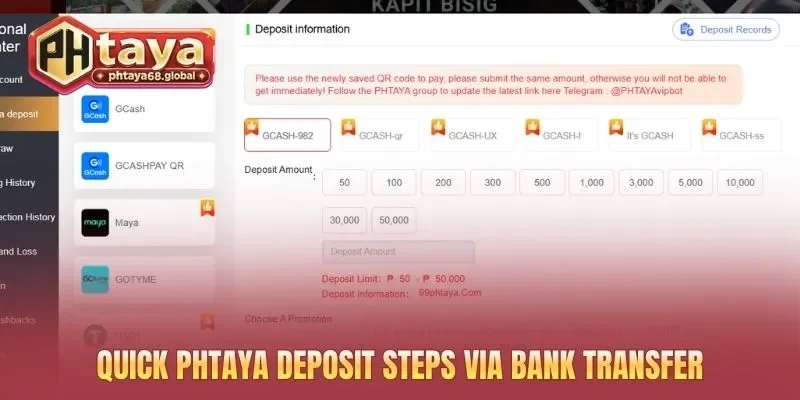
Guide to depositing through GCash
GCash is an electronic payment method that allows players to conveniently deposit funds into their PHTAYA accounts. Follow the steps below in order to minimize errors during transactions.
- Step 1: Log in to your PHTAYA account and access the deposit section.
- Step 2: Select GCash from the list of payment methods.
- Step 3: Enter the deposit amount according to the applicable limits.
- Step 4: Review the transaction details and confirm the payment request.
- Step 5: Switch to GCash, log in, and complete the payment confirmation as instructed.
- Step 6: Return to PHTAYA and check your account balance after the transaction has been processed.
Transaction process through Maya
Maya supports online payments through an electronic account, making PHTAYA deposits more convenient. Following the correct deposit procedure helps reduce errors when entering details or transferring the wrong amount.
- Step 1: Visit PHTAYA and log in to your personal account.
- Step 2: Open the deposit section and select Maya as the payment method.
- Step 3: Enter the desired deposit amount within the displayed limits.
- Step 4: Review the payment details provided by the system.
- Step 5: Open the Maya app and complete the payment as instructed.
- Step 6: Save the receipt, then check your PHTAYA balance to confirm the result.
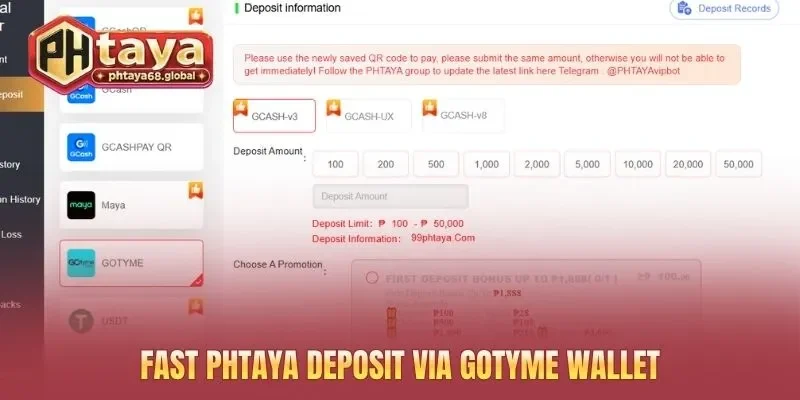
How to make a quick PHTAYA deposit through GoTyme
GoTyme is a digital payment option for people with a corresponding account who wish to complete online transactions. To deposit funds into PHTAYA, ensure your payment account is operating normally and has sufficient balance. Check the details carefully before confirming to avoid unwanted transactions.
- Step 1: Log in to PHTAYA using your registered account credentials.
- Step 2: Select the deposit section and look for GoTyme if it is supported.
- Step 3: Enter the required deposit amount in the transaction form.
- Step 4: Review the payment details, including the amount and transaction code, if available.
- Step 5: Open the GoTyme app or service and confirm the payment as instructed.
- Step 6: Return to PHTAYA and monitor the transaction status and account balance.
Steps to deposit funds into PHTAYA via GrabPay
GrabPay allows e-wallet users to make online payments without repeatedly entering their details when supported by the system. Before making a PHTAYA deposit, check your wallet balance and current transaction limits.
- Step 1: Access your PHTAYA account and open the deposit section.
- Step 2: Select GrabPay if this method appears in the available list.
- Step 3: Enter the desired deposit amount and check the minimum and maximum limits.
- Step 4: Confirm the transaction details to proceed to payment.
- Step 5: Open GrabPay, complete the verification process, and make the payment as instructed.
- Step 6: Save the transaction receipt and check your PHTAYA balance after the payment is completed.
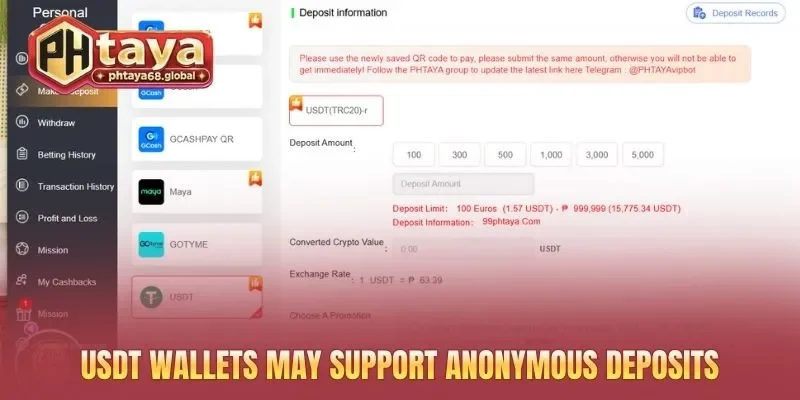
Guide to topping up points on PHTAYA via USDT
USDT is a digital asset designed to maintain a value equivalent to the US dollar and is commonly used in cryptocurrency transactions. Only proceed when USDT is officially supported by the system, as sending funds through the wrong network or to an incorrect address may result in irreversible asset loss.
- Step 1: Log in to PHTAYA, access the deposit section, and select USDT if available.
- Step 2: Choose the blockchain network required by the system, such as TRC20 or ERC20.
- Step 3: Enter the deposit amount and check the minimum limit and transaction fees.
- Step 4: Copy the exact USDT receiving wallet address displayed by the system.
- Step 5: Open your personal cryptocurrency wallet, enter the receiving address, and select the correct blockchain network.
- Step 6: Review all details carefully before confirming the USDT transfer.
- Step 7: Save the transaction ID (TXID) for reference when necessary.
- Step 8: Monitor the blockchain confirmation status and check your PHTAYA balance.
Important notes when making a PHTAYA deposit
The PHTAYA deposit process requires careful attention to avoid unnecessary errors. Following the principles below helps members reduce mistakes and manage their accounts and budgets responsibly:
- Always review the transfer details carefully before confirming the payment.
- Do not reuse outdated recipient bank account details for subsequent transactions.
- Keep transfer receipts as supporting evidence for verification when necessary.
- Ensure a stable internet connection throughout the transaction process.
- Follow the minimum and maximum limits specified for each payment method.
- Avoid depositing funds while banks are conducting scheduled maintenance.
- Enter the correct account details matching the name used during initial registration.
- Keep your OTP code private and never disclose it to anyone else.
- Contact support immediately if the funds have not been credited after 15 minutes.
- Check your transaction history to ensure the payment has been recorded successfully.
Conclusion
Accurate PHTAYA deposit procedures help ensure a smooth process when adding funds to your account balance. Following the instructions correctly helps reduce the risk of transaction delays. Choose a suitable payment method at PHTAYA to deposit funds quickly and securely.